
Product guide · Getting started
Guardbee is an AI Security Copilot for websites, applications, and digital assets. It consolidates security scans in one panel, presents findings in business language, and accelerates team communication with BeeAI.
This guide walks new teams through the product flow—from defining a brand to sharing scan results.
Overview
Guardbee is built around three principles:
- Modular scanning — Website, network, AI, and KVKK/GDPR checks can run independently or together.
- Business-language reporting — Technical findings include severity, business impact, and recommended action.
- Decision support — BeeAI summarizes findings in language that leadership and operations teams can act on.
The platform uses controlled, read-only requests. It does not run destructive penetration tests or aggressive attack simulation.
Workflow
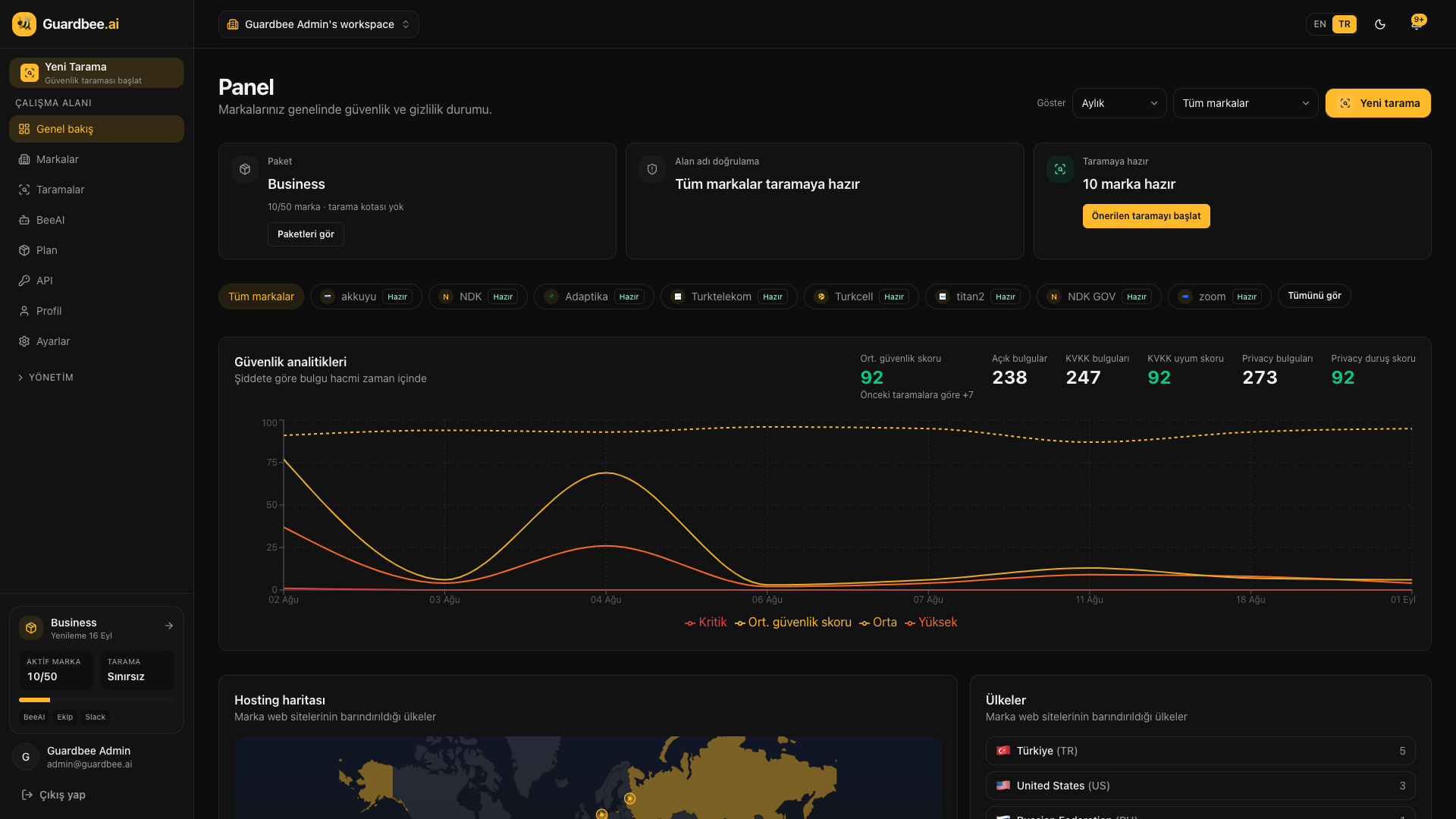
Step 1 — Define a brand and asset
Create an account at app.guardbee.ai and define the brand you want to monitor. A brand can be your production site, a staging environment, or any digital asset in scope.
Step 2 — Choose modules and scan
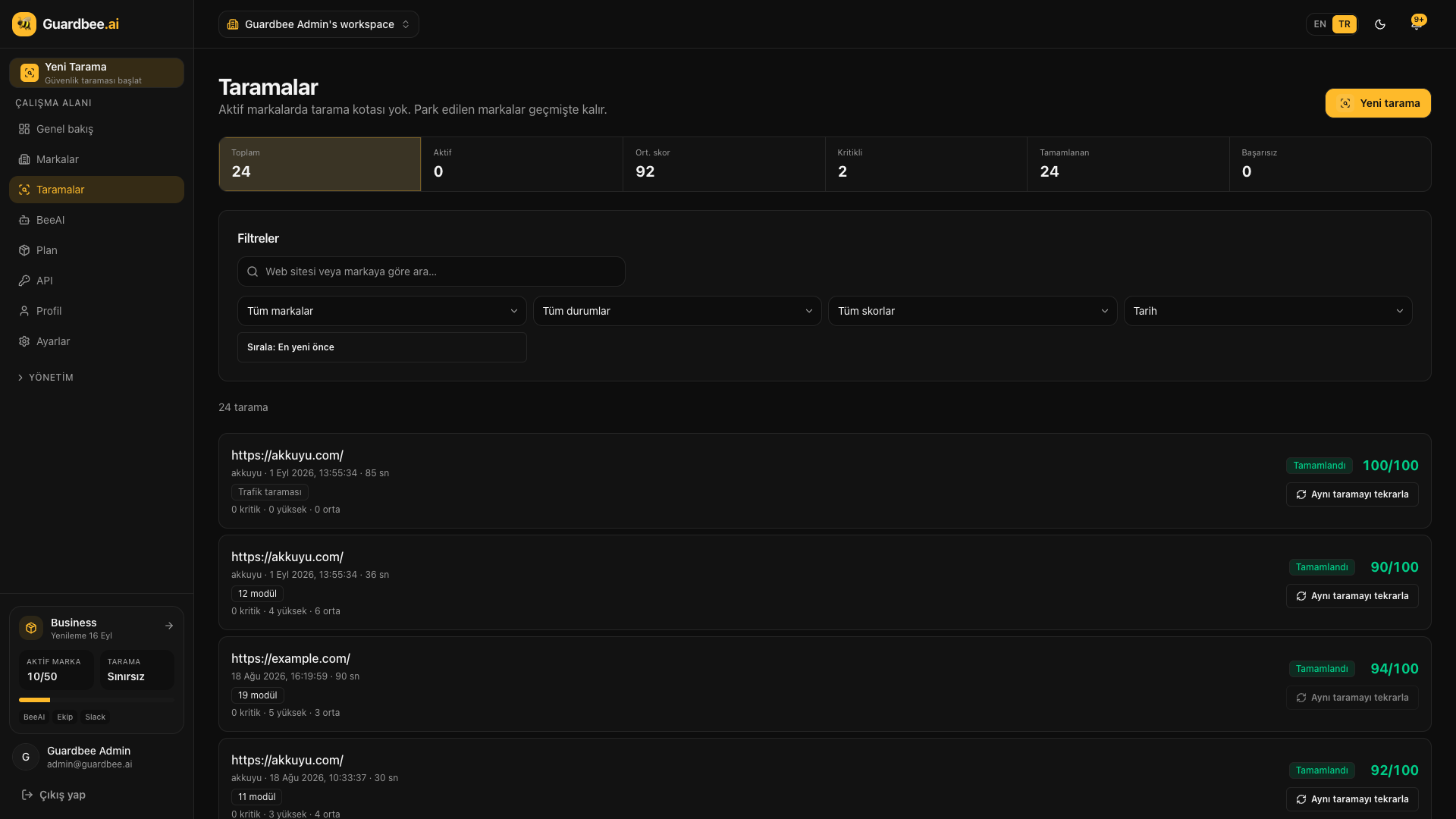
Select one or more modules—Website, Network, AI, or KVKK/GDPR—and start a scan. Completed scans appear with score, duration, and a findings summary.
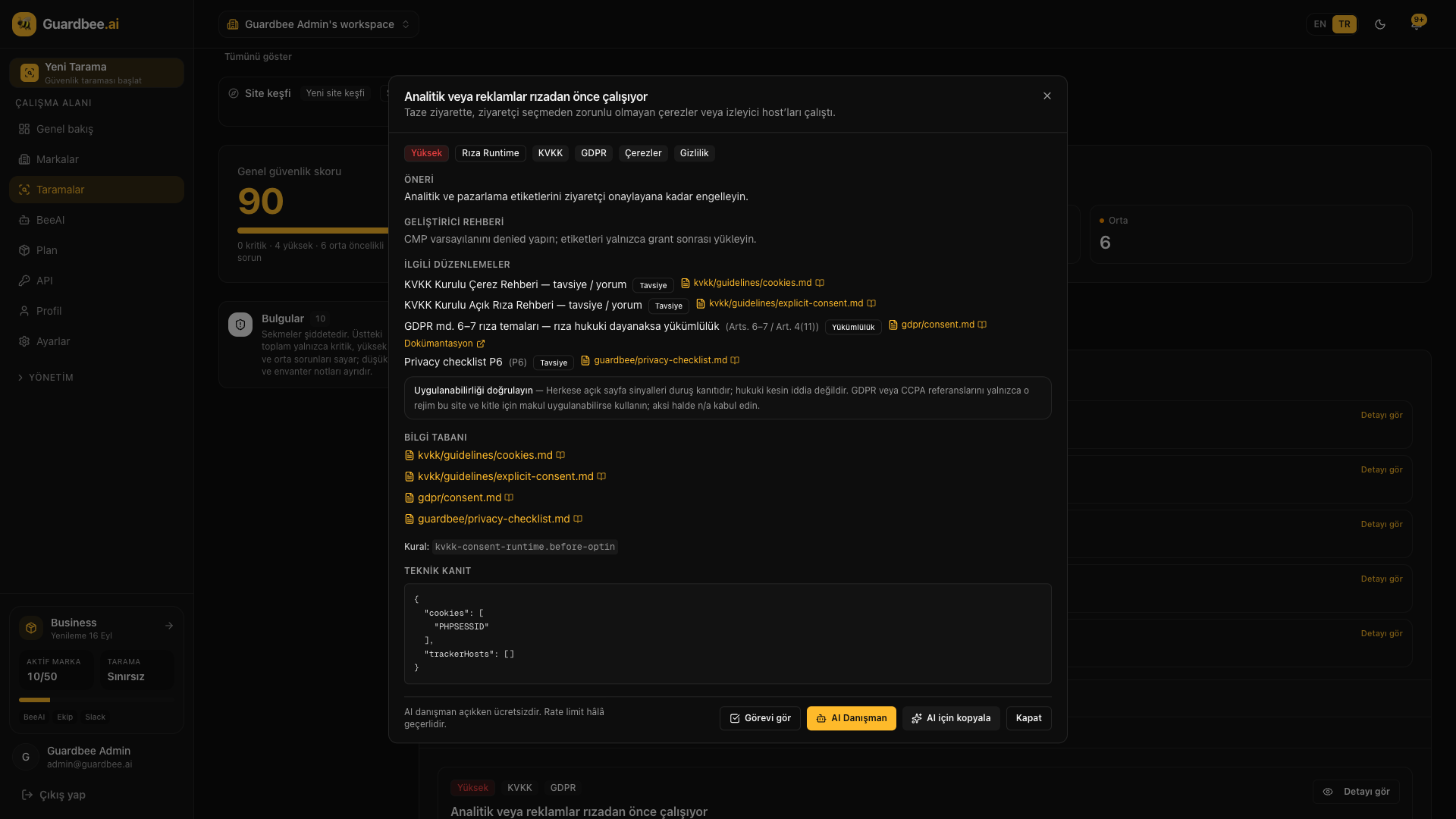
Open a scan to review each finding with severity, regulation references, developer guidance, and technical evidence.
Step 3 — Prioritize and use BeeAI
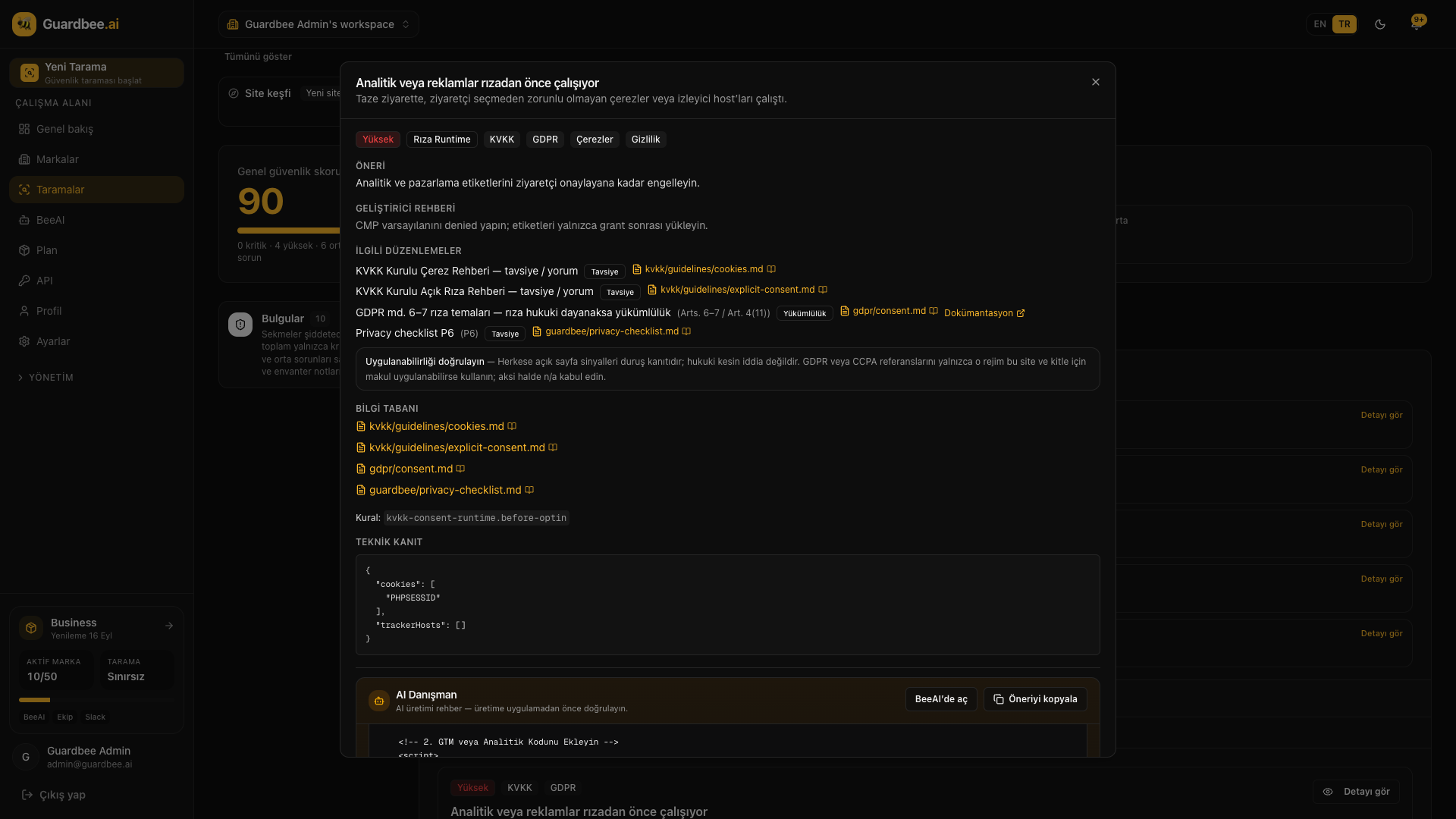
Critical findings are highlighted first. Use AI Advisor / BeeAI to summarize a finding in executive language and share concrete remediation steps with your team.
Plans
Guardbee uses a monthly subscription model. There is no scan quota; plan limits are active brand count and plan-specific features.
| Plan | Monthly price | Active brands | Highlights |
|---|---|---|---|
| Free | $0 | 1 | 14-day trial, BeeAI |
| Starter | $30 | 2 | KVKK/GDPR, BeeAI |
| Pro | $50 | 10 | Scheduled scans, team, Slack |
| Business | $100 | 50 | Traffic crawl, team, Slack |
Current pricing: guardbee.ai/en/pricing. Payments via PayTR. A 14-day refund guarantee applies.
Who uses Guardbee?
- IT and security teams — Periodic surface scanning and regression tracking
- Product and engineering — Pre-launch security validation
- Agencies — Monitor a client portfolio from one panel
- Compliance owners — Central reporting of KVKK/GDPR signals
Run these checks with Guardbee
Add your brand, choose your security modules, and review findings in business language. Start with a 14-day free trial — no credit card required.
Frequently asked questions
Is there a free trial?
Yes. New accounts start on the Free plan for 14 days: 1 active brand, core modules, and BeeAI included. No credit card is required during the trial.
Is there a scan quota?
No. Plan limits are active brand count and plan-specific features only.
Are Turkish and English supported?
Yes. Both the marketing site and the product UI support Turkish and English.
Does BeeAI cost extra?
No. BeeAI is included on all plans with no separate usage quota.